- Strona główna /
- Elektronika /
- Computer Accessories /
- Computer Accessories & Peripherals /
- Keyboards, Mice & Accessories /
- Mice /
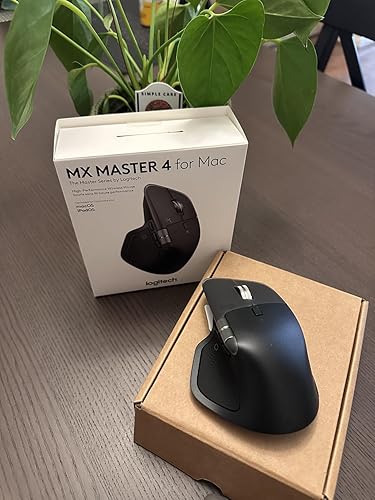
- Logitech MX Master 4 for Mac, Ergonomic Bluet...
0 ratings





Nr produktu:
219397183
Logitech MX Master 4 for Mac, Ergonomic Bluetooth Mouse with Advanced Performance Haptic Feedback, Ultra-Fast Scrolling, USB-C Charging, MacOS,
Nr produktu:
219397183
PLN 667
Price Details
Excluding Shipping & Custom charges ( Shipping and custom charges will be calculated on checkout )
*All items will import from Stany Zjednoczone
w magazynie
 Zaimportowano ze sklepu USA
QTY:
Produkty dostępne w magazynie: 10.
Zamów teraz i otrzymaj około Monday, Lipiec 06
Bezpieczna transakcja
Ubuy dokłada wszelkich starań, aby chronić Twoje bezpieczeństwo i prywatność. Nasz zaawansowany system bezpieczeństwa płatności zapewnia poufność poprzez szyfrowanie Twoich danych podczas transmisji przy użyciu protokołów AES (Advanced Encryption Standards) i SSL (Secure Socket Layer). Twoje dane płatności są w 100% bezpieczne, ponieważ nie udostępniamy ich zewnętrznym sprzedawcom.
Nasi czołowi partnerzy logistyczni


Mastered for Mac: With matching Apple finishes, Logi Options+ functions for macOS, MX Master 4 for Mac makes for a perfect fit with your Apple setup.

Fast
Shipping

Free
Return*

Bezpieczne pakowanie

100% oryginalne produkty

PCI DSS Compliance

ISO 27001 Certified


Note: Step Down Voltage Transformer required for using electronics products of Stany Zjednoczone store (110-120). Recommended power converters Kup Teraz.


Co wyróżnia ten produkt
Ergonomic Design
The MX Master 4 offers exceptional comfort during extended use, reducing strain on your wrist and hand, making it perfect for long work sessions.
Haptic Feedback
This mouse features advanced haptic feedback, providing tactile responsiveness for enhanced precision and an immersive user experience, perfect for creative tasks.
Wireless Convenience
Both the mouse and keyboard connect seamlessly via Bluetooth, eliminating clutter and allowing for a tidy workspace, while also supporting multiple devices for flexibility.
Szczegóły Produktu
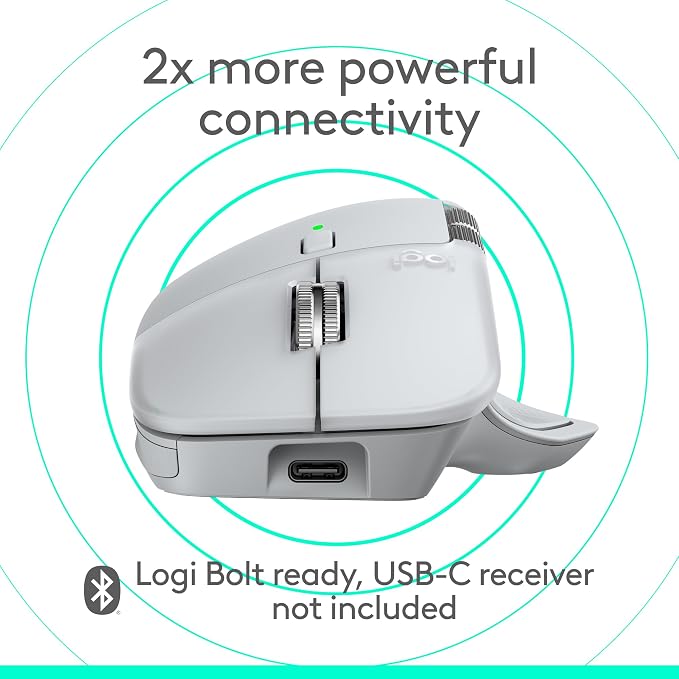
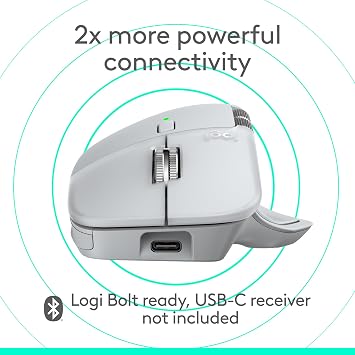
- Mastered for Mac: With matching Apple finishes, Logi Options+ functions for macOS (1), USB-C charging while you work (cable not included), MX Master 4 for Mac makes for a perfect fit with your Apple setup
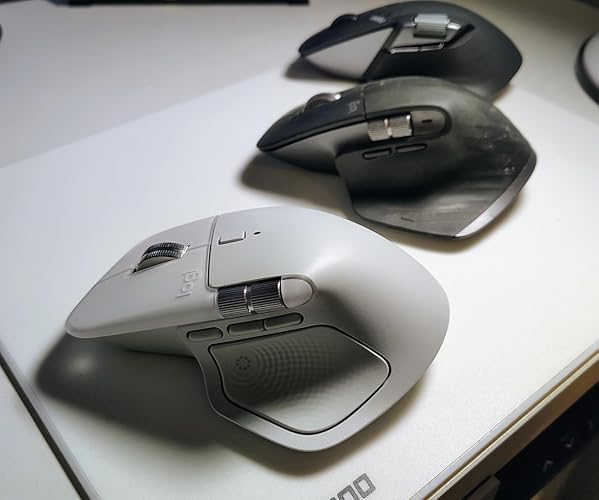
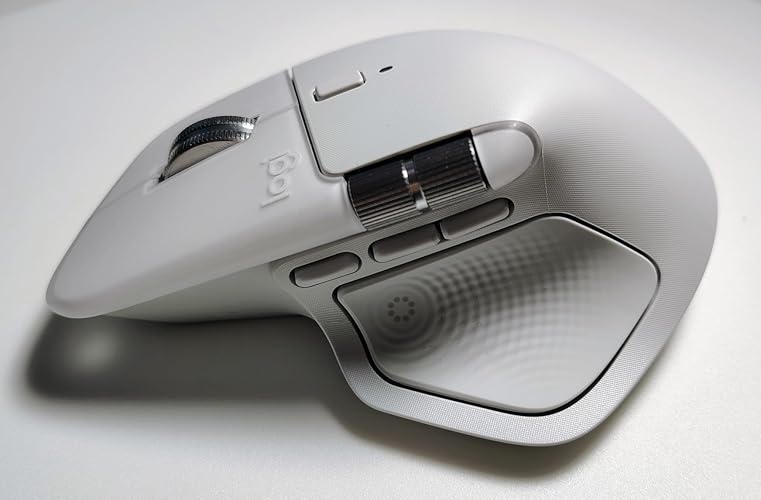
- Precision you can feel with the Haptic Sense Panel; customizable (1) haptic feedback on specific actions, shortcuts, notifications enhancing productivity on this wireless Bluetooth mouse
- Effortlessly access favorite tools with Actions Ring (2) on this MX Series mouse—a dynamic, customizable overlay adapts to each app, placing most used filters, adjustments, and shortcuts at your cursor
- Scroll 1,000 lines per second and stop on a pixel with the MagSpeed scroll wheel—Logitech’s fastest (3), quietest, and most precise (4) scrolling experience
- Ergonomic mouse designed for comfort, MX Master 4 for Mac keeps you in flow with a natural tilt, intuitive buttons, and a thumb scroll wheel that reduces hand stress for fluid navigation
- Quiet Clicks on MX Master 4 for Mac reduce noise and distractions, offering a satisfying feel with 90% less click noise (7) —perfect for focused workflows
- Get a complimentary 1-month Adobe Creative Cloud subscription with your purchase of MX Master 4 for Mac
- Designed for a positive future: Plastic parts include recycled plastic - 54% Space Black; 48% White Silver (12); 100% recycled cobalt in the battery; Built to last with improved stain resistance (7)
| Connectivity Technology | Bluetooth, Radio Frequency, USB |
| Additional Features | Lightweight, Programmable Buttons, Rechargeable, Soundless, Wireless |
| Movement Detection | Optical |
| Button Quantity | 7 |
| Hand Orientation | Right |
| Compatible Devices | Laptop, Personal Computer |
| Operating System | Android, Chrome OS, Linux, iPadOS, macOS |
| Number of Batteries | 1 Nonstandard Battery batteries required. (included) |
| Hardware Platform | Mac, PC |
| Power Source | Battery Powered |
| Mouse Maximum Sensitivity | 8000 Dots per Inch (20320 cm) |
| Minimum Required Operating System Version | Mac OS 14 Sonoma |
| Range | 10 |
| Embellishment Feature | LED |
| Color | White Silver |
| Style Name | Ergonomic |
| Pattern | Mouse |
| Enclosure Material | Plastic |
| Finish | Matte |
| Brand | Logitech |
| Model Name | Logitech MX Master 4 |
| Antenna Location | Education, Gaming, Home, Office, Personal |
| Model Number | 910-007574 |
| Built-In Media | Logitech MX Master 4 Mouse, User Documentation |
| Are Batteries Included | Yes |
| Are Batteries Required | Yes |
| Manufacturer | Logitech |
| UPC | 097855205940 |
| Mfr Part Number | 910-007574 |
| Item Weight | 11.2 ounces (317.52 grams) |
| Item Dimensions L x W | 6.5"L x 5.5"W (16.5 cm) |
| Special Feature | Lightweight, Programmable Buttons, Rechargeable, Soundless, Wireless |
| Movement Detection Technology | Optical |
What's in the box
Logitech MX Master 4 Mouse
User Documentation
Dla kogo jest przeznaczony?

-
Creative Professionals
Graphic designers and video editors can leverage precision controls and customizable buttons for enhanced productivity and workflow.
-
Frequent Travelers
Compact design and wireless functionality make this combo ideal for users who work on-the-go or in various locations.
-
Writers and Programmers
Backlit keys and ergonomic design offer comfort and visibility, making long typing sessions less fatiguing.

-
Budget Users
Those looking for affordable peripherals may find this premium-priced combo beyond their financial reach.
-
Casual Gamers
While efficient for work, this setup lacks the high-speed performance and features typically desired by serious gamers.
-
Mobile Device Users
Users who need portability might find this combo less convenient compared to lighter, simpler alternatives.
OPIS PRODUKTU
Masz jakieś zapytanie? Porozmawiaj z nami
Pytania i odpowiedzi klientów
-
pytanie:
What are the key features of the Logitech MX Master 4 for Mac?
odpowiedź: The Logitech MX Master 4 for Mac boasts several key features including advanced performance haptic feedback, ultra-fast scrolling, and a comfortable ergonomic design tailored for Mac users. This Bluetooth mouse uses USB-C charging to ensure rapid power recharging, providing seamless connectivity with your Mac device. Its haptic feedback enhances user experience, confirming your actions intuitively. Ideal for creative professionals or anyone working long hours, this mouse offers an agile, precise performance, making it suitable for tasks ranging from graphic design to data analysis. -
pytanie:
How does the ergonomic design of the MX Master 4 benefit users?
odpowiedź: The ergonomic design of the MX Master 4 is specifically crafted to fit the natural contours of your hand, which can reduce wrist strain and enhance comfort during extended use. With its comfortable grip, this mouse allows for fluid movement and easy navigation, making it perfect for professionals who spend long hours on their computers. Whether you’re scrolling through documents or designing graphics, an ergonomic mouse can protect you from discomfort, thereby improving productivity and overall enjoyment while working. -
pytanie:
Is the Logitech MX Master 4 compatible with non-Mac devices?
odpowiedź: Yes, the Logitech MX Master 4 is compatible with both Windows and Mac operating systems, thanks to its universal Bluetooth connectivity. This makes it a versatile choice for users who might switch between devices or work in mixed environments. If you’re using a Windows laptop for a part of your tasks or sharing a workstation, the performance remains consistent and reliable. Users benefit from the customizable functions that can be tailored to different operating systems, ensuring an efficient workflow regardless of the device. -
pytanie:
What makes the haptic feedback feature a significant addition?
odpowiedź: The haptic feedback feature in the Logitech MX Master 4 enhances the user experience by providing tactile responses that confirm actions, such as scrolling or switching between applications. This feedback allows users to have greater precision and confidence in their navigational choices. Particularly useful for designers and programmers, it helps in making rapid selections without visual confirmation. As you engage with large datasets or projects, the intuitive feel adds another layer of control and precision to your workflow. -
pytanie:
How long does the battery last on the Logitech MX Master 4?
odpowiedź: The Logitech MX Master 4 features an impressive battery life, allowing up to 70 days of use on a full charge. This extended battery life minimizes the need for frequent recharging, making it suitable for on-the-go professionals. The USB-C charging also facilitates quick recharging, which means you can get back to work faster when needed. Imagine being in a critical presentation without worrying about battery levels, enabling a smooth and uninterrupted performance throughout the day. -
pytanie:
Can I customize the button functions on the MX Master 4?
odpowiedź: Absolutely! The Logitech MX Master 4 allows extensive customization of its buttons through the Logitech Options software. Users can assign specific functionalities tailored to their workflows, whether it's switching applications, editing shortcuts, or controlling audio volume. This feature is especially beneficial for power users and professionals looking to streamline their tasks. By optimizing button functions for common actions, you’ll enhance your productivity and reduce effort during complex tasks. -
pytanie:
What is ultra-fast scrolling and when would I use it?
odpowiedź: Ultra-fast scrolling is a feature that allows users to glide through lengthy documents or webpages with remarkable ease. By simply scrolling, users can transition from one end of a file to another in seconds. This is particularly useful for professionals handling large documents or researchers sifting through extensive data. The smart switching between click-to-click and free-spinning modes enhances the efficiency of working through various content types, making it ideal for both casual and intensive users. -
pytanie:
How do I set up the Logitech MX Master 4 with my Mac?
odpowiedź: Setting up the Logitech MX Master 4 with your Mac is a straightforward process. First, ensure the mouse is charged, then power it on and put it into pairing mode. Open your Mac's Bluetooth settings and select the mouse from the list of available devices. Once paired, you can download Logitech Options software to customize settings and features as per your needs. This setup allows you to start using the mouse's full capabilities immediately while enjoying a direct connection with your Mac. -
pytanie:
Where can I buy the Logitech MX Master 4 for Mac?
odpowiedź: You can purchase the Logitech MX Master 4 for Mac from Ubuy. This platform offers a convenient way to explore various purchasing options and ensures that you can find the perfect fit for your ergonomic needs in Poland. By visiting Ubuy, you can enjoy a straightforward shopping experience dedicated to providing high-quality tech products with reliable service. -
pytanie:
What materials are used in the construction of the MX Master 4?
odpowiedź: The Logitech MX Master 4 is constructed using premium materials that ensure both durability and a professional look. The surface features a soft-touch finish that provides a refined feel while reducing slippage during use, helping maintain grip even during intensive tasks. The solid build also assures users that the mouse can withstand the rigors of daily use. Whether you’re in a corporate office or working remotely, the quality materials contribute to a professional aesthetic that matches various work environments.
Logitech Mice 910-007574 Editorial Review


Nie znaleziono recenzji redakcyjnych
Opinie i oceny klientów
405 oceny klientów
-
5 gwiazdka
75%
-
4 gwiazdka
9%
-
3 gwiazdka
7%
-
2 gwiazdka
3%
-
1 gwiazdka
6%
Zrecenzuj ten produkt
Podziel się opinią z innymi klientami
Historia ceny produktu
Ważne informacje
- Ograniczenia: W przypadku produktów wysyłanych za granicę należy pamiętać, że wszelkie gwarancje producenta mogą być nieważne; opcje serwisowe producenta mogą być niedostępne; instrukcje obsługi produktów, podręczniki i ostrzeżenia dotyczące bezpieczeństwa mogą nie być dostępne w języku kraju docelowego; produkty (i materiały towarzyszące) mogą nie spełniać norm wykonania, specyfikacji i wymogów dotyczących oznaczeń kraju docelowego; produkty mogą nie spełniać standardów dotyczących napięcia i innych norm elektrycznych kraju docelowego (co w stosownych przypadkach wymaga użycia adaptera lub konwertera). Odbiorca jest odpowiedzialny za sprawdzenie, czy produkt może zostać legalnie zaimportowany do kraju docelowego. W przypadku zamawiania produktów w sklepie Ubuy lub u jego partnerów odbiorca jest oficjalnie zgłoszonym importerem i musi spełniać wszystkie wymogi przepisów oraz regulacji kraju docelowego.
- Nie wszystkie produkty znajdujące się na Ubuy są na sprzedaż, ponieważ Ubuy to globalna wyszukiwarka. Produkty podlegają przepisom eksportowym/handlowym.
PLN 667
Zamów teraz i otrzymaj około Monday, Lipiec 06
Ten produkt nie jest ograniczony w moim kraju. (Kliknij powyższy link, jeśli ten produkt nie jest ograniczony w Twoim kraju, aby nasz zespół sprawdził i zezwolił na jego sprzedaż).
QTY:
Produkty dostępne w magazynie: 10.
Bezpieczna transakcja
Ubuy dokłada wszelkich starań, aby chronić Twoje bezpieczeństwo i prywatność. Nasz zaawansowany system bezpieczeństwa płatności zapewnia poufność poprzez szyfrowanie Twoich danych podczas transmisji przy użyciu protokołów AES (Advanced Encryption Standards) i SSL (Secure Socket Layer). Twoje dane płatności są w 100% bezpieczne, ponieważ nie udostępniamy ich zewnętrznym sprzedawcom.
Nasi czołowi partnerzy logistyczni
Fastest cross-border delivery
Cechy i zalety
- Designed specifically for Mac with a seamless aesthetic.
- Customizable haptic feedback enhances productivity.
- Access favorite tools through the dynamic Actions Ring.
- Fluid typing experience with a laptop-like profile and unique key design.
- Automate tasks with Smart Actions shortcuts for efficiency.
- USB-C charging allows convenience while you work.