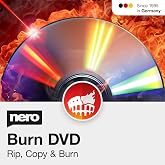
Nero Burn Express 4 | Burn CD DVD Bluray | Copy | Rip | Convert | Backup | Protect | 1 PC | Windows 10 / 8 / 7
Burn what is most important. Fast and Easy!
Nero Burn Express 4 | Burn CD DVD Bluray | Copy | Rip | Convert | Backup | Protect | 1 PC | Windows 10 / 8 / 7
Nr produktu: 18546197

Nero Burn Express 4 | Burn CD DVD Bluray | Copy | Rip | Convert | Backup | Protect | 1 PC | Windows 10 / 8 / 7

Nr produktu: 18546197

PLN 183

Szczegóły ceny

Bez kosztów wysyłki i cła ( Koszty wysyłki i cła zostaną obliczone przy finalizacji zamówienia )

*Wszystkie produkty zostaną zaimportowane z Stany Zjednoczone

W magazynie
Stany Zjednoczone Zaimportowano ze sklepu USA
Zamów teraz i otrzymaj około Sobota, Sierpień 22
Nasi czołowi partnerzy logistyczni
  • fedex
  • dhl
Burn what is most important. Fast and Easy!
Gwarancja U-Care:
Brak
Wybierz plan
fast shipping

Szybka
wysyłka

free return

Bezpłatny
zwrot*

Bezpieczne pakowanie

Bezpieczne pakowanie

100% oryginalne produkty

100% oryginalne produkty

pci-dss

Zgodność z PCI DSS

iso certified

Certyfikat ISO 27001


paypal payment
visa payment
mastercard payment
bank transfer payment
przelewy24 payment
blik payment
Note: Step Down Voltage Transformer required for using electronics products of Stany Zjednoczone store (110-120). Recommended power converters Kup Teraz.

Co wyróżnia ten produkt

Speed Optimization
Nero Burn Express V4 offers rapid burning speed, minimizing wait times for users while ensuring high-quality output, making it ideal for both casual and professional use.
User-Friendly Interface
The intuitive interface of Nero Burn Express V4 allows even beginners to navigate effortlessly, simplifying the burning process and enhancing user experience with step-by-step guidance.
Comprehensive Format Support
This software supports a wide array of disc formats, ensuring versatility for various burning needs, whether for music, video, or data, catering to both personal and professional requirements.

Szczegóły Produktu

Shop Nero Burn Express 4 | Burn CD DVD Bluray | Copy | Rip | Convert | Backup | Protect | 1 PC | Windows 10 / 8 / 7 online at a best price in Polska. B07BW96G87
  • Nero Burn Express 4 allows you to burn CD, DVD, and Blu-ray discs quickly and easily
  • Create perfect copies of your content for storage and sharing
  • SecurDisc 4.0 technology ensures discs remain readable over time
  • Protect your data with password and encryption options
  • Create disc images and burn them to discs
  • Compatible with Windows 11, 10, 8, and 7
Product Dimensions 5.25 x 1.25 x 7.5 inches (13.3 x 3.2 x 19.1 cm); 2.82 ounces (79.95 grams)
Item model number NER912800F065
Date First Available March 1, 2018
Manufacturer Nero

Dla kogo jest przeznaczony?

Suitable For
  • Casual Users

    Simple interface and basic features make it ideal for infrequent users needing easy disc burning solutions.

  • Small Business Owners

    Affordable and efficient option for small businesses requiring reliable disc burning for data backup and sharing.

  • Multimedia Enthusiasts

    Great for users looking to create audio and video discs with diverse formats and customization options.

Not Suitable For
  • Professional Users

    Limited advanced features may not suffice for professionals needing comprehensive disc burning and editing capabilities.

OPIS PRODUKTU

Masz pytania? Porozmawiaj z nami

Pytania i odpowiedzi klientów

  • pytanie: What is Nero Burn Express 4 used for?

    odpowiedź: Nero Burn Express 4 is a versatile software primarily designed for burning CDs, DVDs, and Blu-ray discs. It allows users to copy, rip, convert, backup, and protect their data efficiently. Utilizing its user-friendly interface, you can create audio CDs, video discs, or data backups, making it beneficial for anyone needing to manage files digitally. Whether you're a music enthusiast looking to create mixtapes or a professional preserving important documents, this software elevates your media management experience.
  • pytanie: Is Nero Burn Express 4 compatible with Windows 10?

    odpowiedź: Yes, Nero Burn Express 4 is fully compatible with Windows 10, 8, and 7 operating systems. This ensures a broader usability for various users across different machines. Its compatibility is crucial for users who might need to upgrade or use the software on multiple systems, making it a versatile tool for any Windows user aiming for seamless performance in burning and managing discs.
  • pytanie: How does Nero Burn Express 4 help in data backup?

    odpowiedź: Nero Burn Express 4 simplifies data backup by allowing users to easily transfer files onto CDs, DVDs, or Blu-ray discs. You can select specific folders or entire drives, ensuring that important files are safely stored. This capability is especially valuable in protecting against data loss, making it ideal for individuals or businesses that require reliable backup solutions for critical data or multimedia files.
  • pytanie: Can I convert media files using Nero Burn Express 4?

    odpowiedź: Absolutely! One of the standout features of Nero Burn Express 4 is its ability to convert media files into various formats. Whether you’re transforming video files for compatibility with specific devices or creating audio files in different formats, this tool efficiently handles conversions, enhancing your media flexibility. This feature is particularly beneficial when you want to create optimal playback experiences on different platforms.
  • pytanie: What types of discs can I burn with Nero Burn Express 4?

    odpowiedź: With Nero Burn Express 4, you can burn a wide array of discs including CDs, DVDs, and Blu-ray discs. This versatility means you can create audio CDs for music playback, DVDs for movies or presentations, and even high-capacity Blu-ray discs for large data storage. This makes it an essential application for anyone who regularly works with diverse media formats and requires effective burning solutions.
  • pytanie: Does Nero Burn Express 4 provide data protection features?

    odpowiedź: Yes, Nero Burn Express 4 includes data protection features that allow users to encrypt their files before burning them onto discs. This provides an added layer of security, ensuring that sensitive information remains confidential. Users can benefit from these features when sharing data or storing files that require privacy, making it suitable for both personal and professional use.
  • pytanie: What are the system requirements for Nero Burn Express 4?

    odpowiedź: To run Nero Burn Express 4 smoothly, your system should meet basic requirements including a compatible version of Windows (10, 8, or 7), a DVD/CD/Blu-ray drive, and sufficient storage space. Having a reliable internet connection is also beneficial for updates and downloading additional features. Meeting these requirements ensures optimal performance, making the software more effective for burning and managing your media.
  • pytanie: Is there a trial version of Nero Burn Express 4 available?

    odpowiedź: Yes, Nero often offers a trial version of Nero Burn Express 4, allowing users to experience its features before purchase. This trial gives potential buyers a chance to evaluate the software’s interface and functionality, ensuring it meets their needs for media management. It is a great opportunity for users to familiarize themselves with the program's capabilities.
  • pytanie: Can I use Nero Burn Express 4 on multiple devices?

    odpowiedź: Nero Burn Express 4 is licensed for use on one PC. However, users can purchase additional licenses to install it on multiple devices. This is advantageous for family or professional settings where several users require access to burning and data management tools. This flexibility allows for a tailored approach to software deployment across different users.
  • pytanie: Where can I buy Nero Burn Express 4 in Poland?

    odpowiedź: You can purchase Nero Burn Express 4 from Ubuy in Poland. Ubuy offers a seamless shopping experience with various product options, ensuring you receive the right software for your needs. By shopping on Ubuy, you can also take advantage of their customer support and additional features designed to enhance your buying experience.

Nero DVD & Blu-Ray Movie Players NER912800F065 Editorial Review

  • ubuy Polska
  • ubuy Polska
  • ubuy Polska
  • ubuy Polska
  • ubuy Polska

Nero Burn Express Version 4 is a CD and DVD burning software that works well with Windows 7 and newer operating systems. It allows the user to burn CDs without any gaps and even copy copyrighted CDs. However, users have reported that it does not do everything it claims and lacks features that free options perform better.

Opinie i oceny klientów

452 oceny klientów
  • 5 gwiazdka
    45%
  • 4 gwiazdka
    7%
  • 3 gwiazdka
    8%
  • 2 gwiazdka
    6%
  • 1 gwiazdka
    34%

Zrecenzuj ten produkt

Podziel się opinią z innymi klientami

Zalety

  • Can burn CDs without gaps
  • Can copy copyrighted CDs
  • Works well with Windows 7 and newer operating systems

Wady

  • Lacks features that free options perform better

Zaufanie do platformy i bezpieczeństwo kupujących

trustpilot logo
4.2/5 9250 + reviews
Przeczytaj opinie
MA
Mohammad
Zweryfikowany kupujący

“Excellent quality and original too,when ubuy send original things I will appreciate that ,I very satisfied thank you”

23 July 2026 · via Trustpilot
CK
Chitra
Zweryfikowany kupujący

“The order and delivery progress was communicated very well. Package arrived within the estimated time. Products arrived as expected in good condition.”

22-Jul-26 · via Trustpilot
K
kund
Zweryfikowany kupujący

“Good supply of products. Safe payment methods, and shipment worldwide! Genuine products.”

23-Jul-26 · via Trustpilot
OO
Onesi
Zweryfikowany kupujący

“Was my first time buying a product from Ubuy, but I found it so helpful. This is reliable. Gonna place a new order!”

22 July 2026 · via Trustpilot
SJ
SAO JOHN
Zweryfikowany kupujący

“Ubuy is a great online platform to buy stuff. Reliable, fast delivery time and great value for money. I've been using Ubuy online shopping platform for three years now and will continue to do so.”

23 July 2026 · via Trustpilot
Bezpieczna realizacja zamówienia Dostawa na cały świat Łatwe zwroty Oryginalne produkty

Historia ceny produktu

Ważne informacje

  • Ograniczenia: W przypadku produktów wysyłanych za granicę należy pamiętać, że wszelkie gwarancje producenta mogą być nieważne; opcje serwisowe producenta mogą być niedostępne; instrukcje obsługi produktów, podręczniki i ostrzeżenia dotyczące bezpieczeństwa mogą nie być dostępne w języku kraju docelowego; produkty (i materiały towarzyszące) mogą nie spełniać norm wykonania, specyfikacji i wymogów dotyczących oznaczeń kraju docelowego; produkty mogą nie spełniać standardów dotyczących napięcia i innych norm elektrycznych kraju docelowego (co w stosownych przypadkach wymaga użycia adaptera lub konwertera). Odbiorca jest odpowiedzialny za sprawdzenie, czy produkt może zostać legalnie zaimportowany do kraju docelowego. W przypadku zamawiania produktów w sklepie Ubuy lub u jego partnerów odbiorca jest oficjalnie zgłoszonym importerem i musi spełniać wszystkie wymogi przepisów oraz regulacji kraju docelowego.
  • Nie wszystkie produkty znajdujące się na Ubuy są na sprzedaż, ponieważ Ubuy to globalna wyszukiwarka. Produkty podlegają przepisom eksportowym/handlowym.